
Truly plug and play
Plug the RF dongle into your simulator PC and the box is ready. Auto-wake means there is no power switch to remember.


Run GSPro from the hitting mat: no keyboard, no mouse, no programming
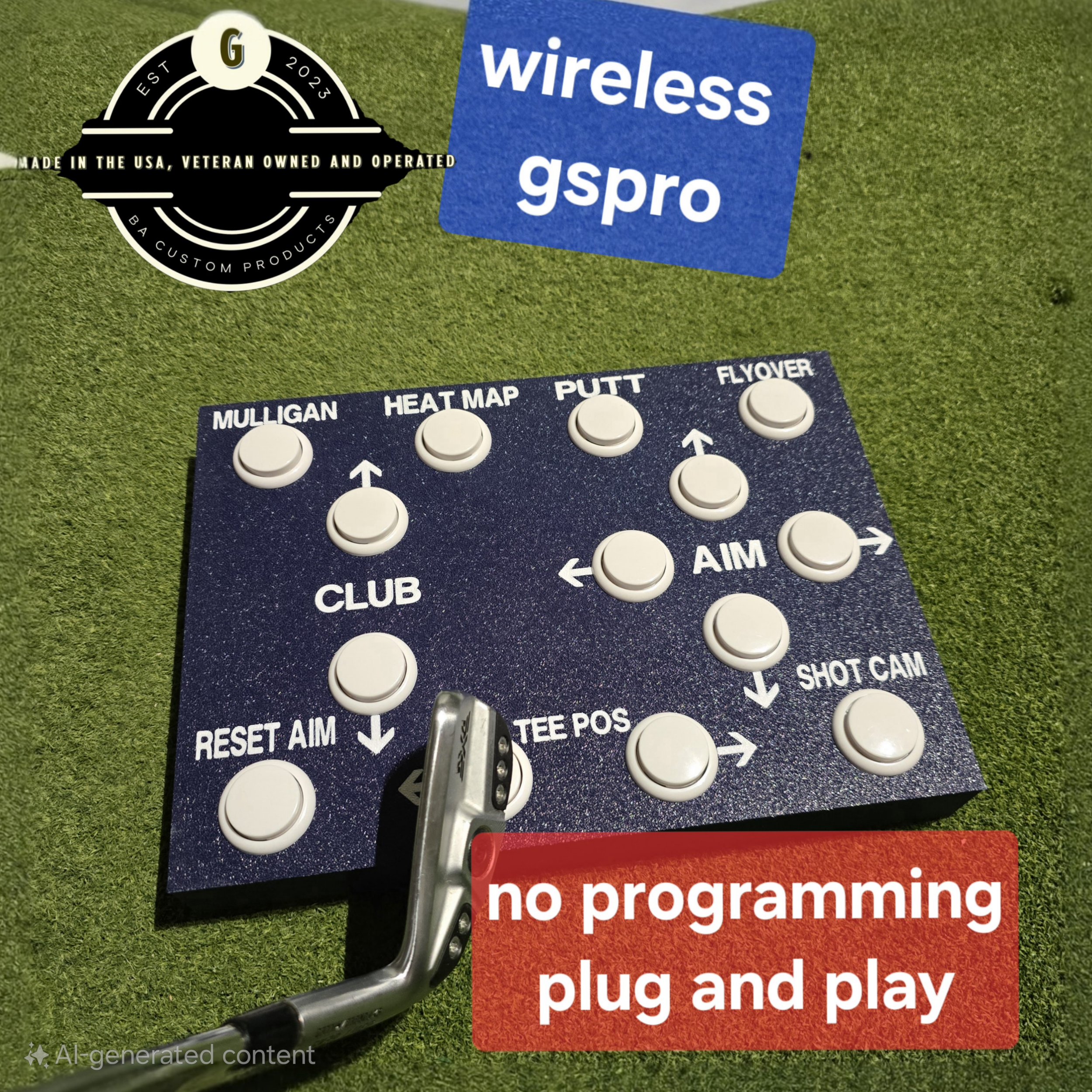
BA Custom Products · Simulator AccessoriesThe V2.5 control box puts 14 large buttons for GSPro's most-used commands right beside your mat, so you can aim, change views, take a mulligan or move your tee position without walking to the keyboard. It connects through a small RF dongle and works as soon as it's plugged in, with no pairing or setup software.
Why golfers choose it
Plug the RF dongle into your simulator PC and the box is ready. Auto-wake means there is no power switch to remember.
Large buttons are easy to press by hand on a table or tap with a club head from your stance.
Choose the custom version for secondary and tertiary functions printed on each button, set up with AutoHotkey.
Product details
| Brand | BA Custom Products |
|---|---|
| Model | Wireless GSPro Control Box V2.5 |
| Product type | Golf simulator remote control box |
| Buttons | 14 large tactile buttons |
| Connection | Wireless RF USB dongle (no Bluetooth), up to 10 m range |
| Power | 1 × AA battery with auto-wake |
| Software | Built for GSPro; works with any launch monitor |
| Construction | High-quality 3D-printed plastic |
| Made in | Hand-built in the USA by a veteran-owned company |
| Versions | Standard plug-and-play, or custom with printed multi-function buttons |
| Colors | Black, Green, Dark Blue |
Most golfers should choose the standard box. Its 14 built-in functions cover everything you need during a round, and it's the easiest option for anyone new to GSPro. The custom version is for tech-savvy players who want each button to do more: the extra functions are printed on the box, and after you order we'll work out the button layout with you.
Product questions
Grater Golf support
Tell us about your launch monitor, software and room, and we’ll help you choose accessories that work together.
Ask Grater GolfFree standard shipping on most orders $100+ within the contiguous U.S. Eligible items may be returned within 30 days. Custom, modified, cut, installed, and made-to-order products may be final sale.