
Secondary functions on
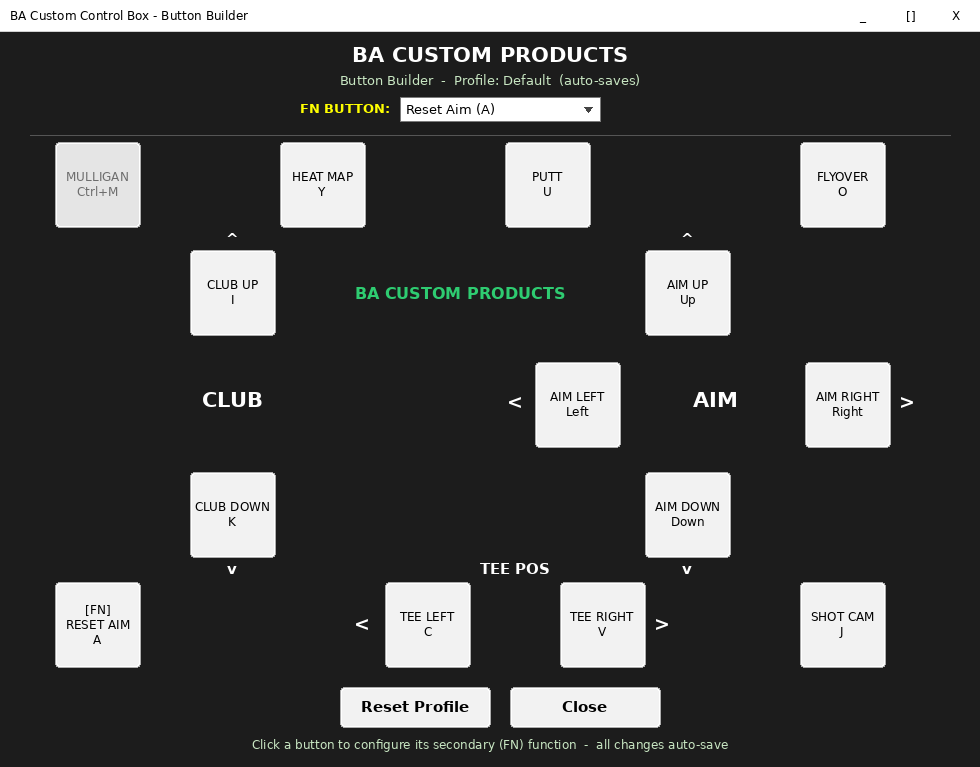
Choose the built-in Basic Secondary profile and every yellow label on the box works, with no programming.


Free Windows software that unlocks every secondary function on your BA control box
BA Custom Products · Simulator AccessoriesYour BA control box works the moment it's plugged in, and BA Remapper unlocks the rest of it. This free Windows app switches on the yellow secondary functions printed on the box. It adds Smart Clicks that pick on-screen GSPro menu options for you, and a scramble mode that chooses the best ball automatically.
Why golfers choose it
Choose the built-in Basic Secondary profile and every yellow label on the box works, with no programming.
Reads GSPro's menus on screen with Windows' built-in text recognition and clicks the right option, at any resolution.
Counts down on screen and picks the best ball: fewest strokes first, then on the green, then the shortest distance.
Product details
| Developer | BA Custom Products |
|---|---|
| Product type | Free Windows software (download) |
| Requires | Windows 10 or 11 and GSPro |
| Works with | BA Custom Products control boxes |
| Installation | Standard Windows installer; portable version also available |
| Privacy | Screen reading happens on your PC; nothing is sent anywhere |
| Price | Free |
Download and unzip the file, then run the setup. If Windows SmartScreen appears, choose More info, then Run anyway; you'll only see this the first time. During install, tick Start BA Remapper with Windows. Then choose Basic Secondary from the profile list and turn it on. BA Custom Products also publishes a portable version and the source code on GitHub (github.com/DiyGolfGuy/BA-Remapper).
Product questions
Grater Golf support
Tell us about your launch monitor, software and room, and we’ll help you choose accessories that work together.
Ask Grater GolfFree standard shipping on most orders $100+ within the contiguous U.S. Eligible items may be returned within 30 days. Custom, modified, cut, installed, and made-to-order products may be final sale.