


GSPro Golf Simulator Control Box

GSPro Golf Simulator Control Box
GSPro Golf Simulator Control Box
Control frequently used GSPro functions from the hitting area without repeatedly walking back to your keyboard. Dedicated tactile buttons and a wireless USB connection keep your simulator sessions moving.

Spend More Time Playing and Less Time at the Keyboard
Place the controller within easy reach of the hitting area for direct access to common GSPro commands, club selection, aiming, and course views.
Wireless Connection
The included wireless USB receiver connects the controller to a compatible Windows computer without running a cable across the room.
Dedicated Controls
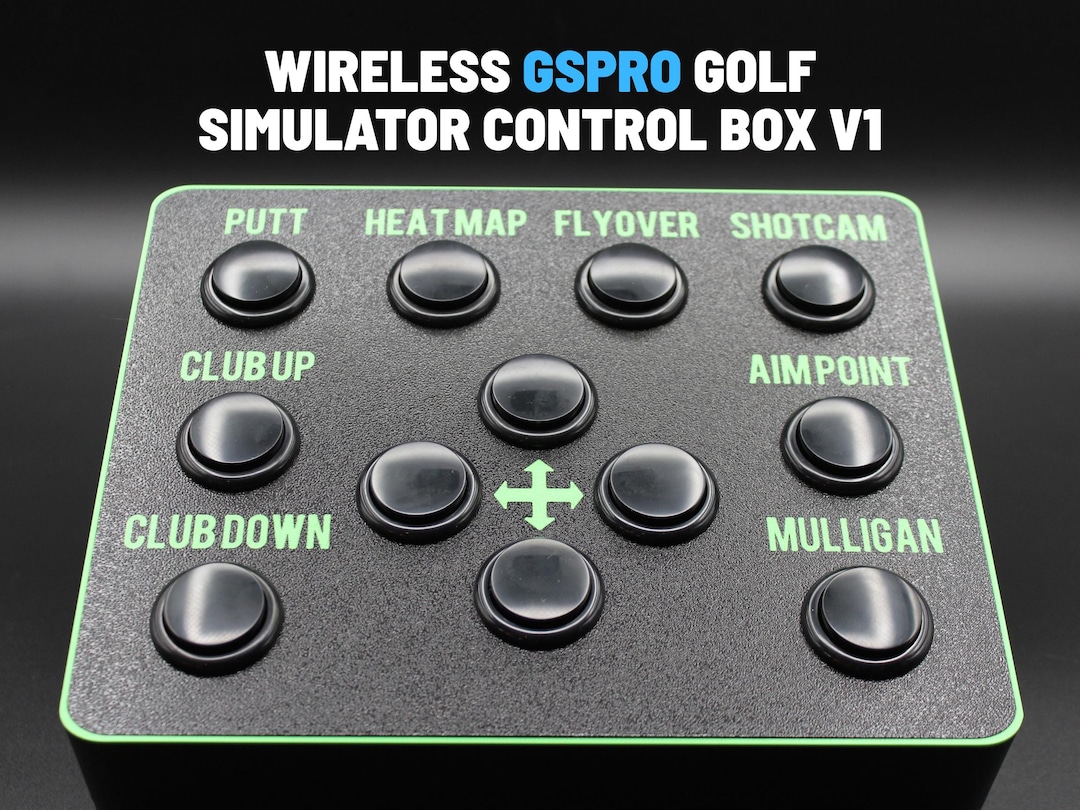
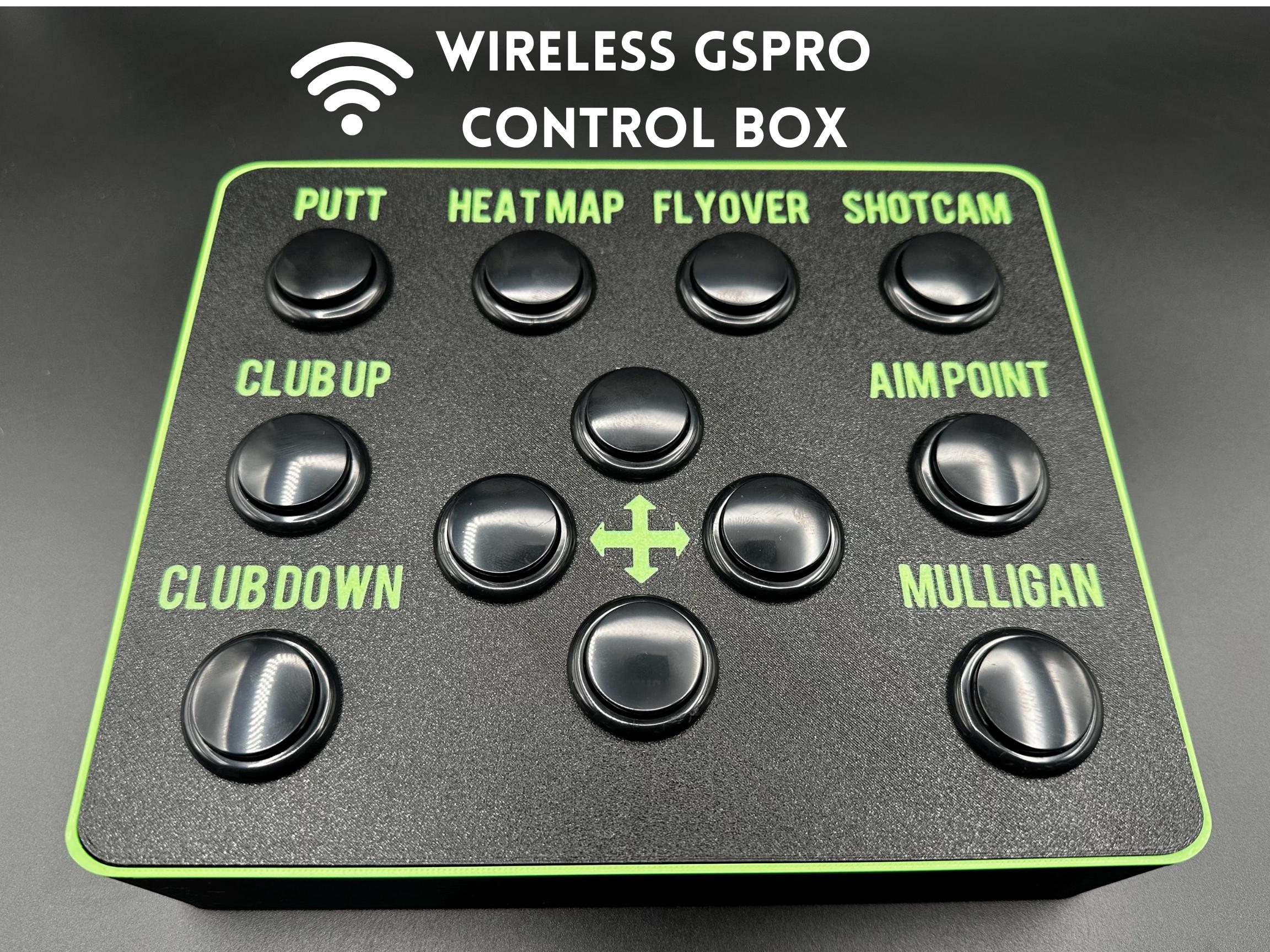
Eight labeled GSPro shortcuts and four directional controls provide quick access to frequently used simulator functions.
Quick Setup
Designed for a simple plug-and-play installation that can typically be completed in approximately five minutes using the instructions.
Battery Powered
Two included AA batteries power the controller, helping eliminate another power cable around the simulator floor.
Power Switch
A dedicated on/off switch allows the controller to be powered down between simulator sessions to help preserve battery life.
Compact Enclosure
The 3D-printed PLA enclosure features a clean black finish with high-visibility green lettering and trim.
Common Commands at Your Fingertips
Clearly labeled controls make it easier to manage the round without using a full keyboard and mouse after every shot.
- Activate putting controls
- Display the green heatmap
- Start a hole flyover
- Access the GSPro ShotCam view
- Move through club selections
- Adjust the aim point
- Take a mulligan when permitted
- Navigate using four directional controls
Simple Setup
No control cable needs to run from the hitting area back to the simulator computer.
Insert the Receiver
Connect the included wireless USB receiver to an available USB port on the Windows computer running GSPro.
Install the Batteries
Install the two included AA batteries and switch the controller on.
Follow the Instructions
Complete the provided setup steps, open GSPro, and confirm each shortcut before beginning a round.
Product Specifications
| Product Type | Wireless golf simulator shortcut controller |
|---|---|
| Designed For | GSPro golf simulator software |
| Computer Connection | Wireless USB receiver |
| Approximate Dimensions | 9" × 7.5" (23 × 19cm) |
| Enclosure Material | 3D-printed PLA |
| Power Source | Two AA batteries |
| Power Control | On/off switch |
| Named Shortcut Buttons | Putt, Heatmap, Flyover, ShotCam, Club Up, Club Down, Aimpoint and Mulligan |
| Navigation Controls | Up, down, left and right |
| Typical Setup Time | Approximately five minutes |
| Included Components | One control box, wireless USB receiver, two AA batteries and setup instructions |
| Color | Black with green trim and lettering, as shown |
Shipping & Returns
Free standard shipping on most orders $100+ within the contiguous U.S. Eligible items may be returned within 30 days. Custom, modified, cut, installed, and made-to-order products may be final sale.